
Skincare
How to Send Money to Others on Venmo: Payments & Requests
Aug
Venmo has become one of America’s favorite ways to split dinner, pay a roommate, cover concert tickets, reimburse a friend for coffee, or finally settle that “I’ll get you next time” debt from three months ago. It is fast, familiar, and, when used correctly, wonderfully simple. But because Venmo moves real money, it deserves more attention than a casual emoji note and a sleepy tap on the Pay button.
This guide explains how to send money on Venmo, how to request money, how payment methods work, what fees to watch for, how privacy settings affect your activity, and how to avoid common mistakes. Whether you are paying one person, splitting a group expense, scheduling a recurring request, or trying not to accidentally send rent to someone named “Mike” who is absolutely not your roommate, the steps below will help you use Venmo with confidence.
What Is Venmo and Who Can Use It?
Venmo is a peer-to-peer payment app owned by PayPal that lets people send and receive money using a mobile app. It is designed mainly for payments between people who know and trust each other: friends, family members, roommates, classmates, coworkers, and the occasional person who bravely bought the entire table nachos.
To use Venmo, you generally need to be physically located in the United States, have a U.S.-based mobile phone number that can receive text messages from short codes, and be at least 18 years old or the age of majority in your state. Users can link a bank account, debit card, credit card, or use an eligible Venmo balance after identity verification. The app is available for iOS and Android, and some basic payment actions can also be done through Venmo on the web.
How to Send Money on Venmo
The basic Venmo payment process is short enough to learn in a minute, but important enough to do carefully every time. A Venmo payment usually reaches the recipient’s Venmo account right away, so think of the Pay button as a tiny financial rocket. Once launched, it is not easy to pull back.
Step-by-Step: Sending a Venmo Payment
- Open the Venmo app.
- Tap Pay/Request at the bottom of the screen.
- Search for the recipient by name, Venmo username, phone number, or email address.
- Confirm you selected the right person. Check the username, profile photo, and contact details if available.
- Enter the payment amount.
- Add a note explaining what the payment is for, such as “utilities,” “birthday dinner,” or “airport ride.”
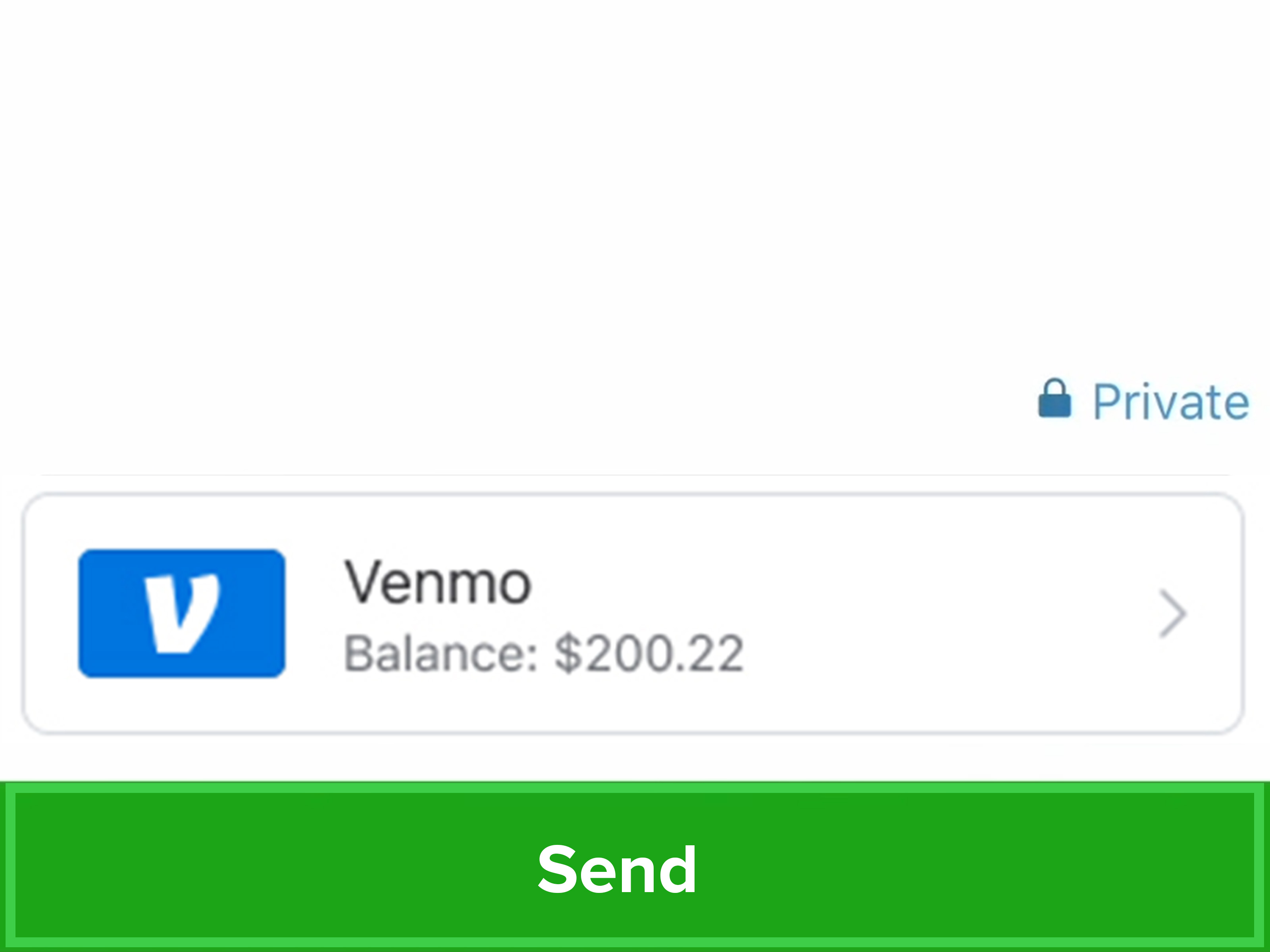
- Review the payment method shown at the bottom of the payment screen.
- Choose the privacy setting for the transaction.
- Tap Pay and confirm the payment.
That is the simple version. The smarter version includes a few extra seconds of review. Before you send money, confirm the recipient’s handle directly, especially if you are using a phone number or email address. A typo in a username can turn your friendly payment into a customer-support adventure, and nobody adds “customer-support adventure” to their weekend plans voluntarily.
How to Request Money on Venmo
Venmo requests are useful when someone owes you money but has not paid yet. Maybe you covered the rideshare, bought groceries for the apartment, or paid the hotel deposit for a group trip. Instead of sending a dramatic text with seventeen question marks, you can send a payment request and let Venmo do the polite nudging.
Step-by-Step: Requesting a Payment
- Open the Venmo app.
- Tap Pay/Request.
- Search for the person who owes you money.
- Enter the amount you want to request.
- Add a clear note, such as “your half of dinner,” “July electric bill,” or “concert ticket.”
- Tap Request.
A good Venmo request is clear, specific, and calm. “$42.18 for brunch + tip” is better than “money.” Clear notes reduce confusion, especially when people have multiple shared expenses. Also, yes, the person can see the request. That is the point. It is not passive-aggressive; it is accounting with buttons.
How to Pay or Request Money From Multiple People
Venmo can also help with group payments. If you want to pay more than one person or request money from several people, add all recipients before sending. This is helpful for group dinners, shared vacation costs, party supplies, fantasy football fees, and other moments when friendship meets mathematics.
How Group Payments and Requests Work
Start by tapping Pay/Request, select the first person, then use the plus icon to add additional recipients. Enter the amount for each person, add a note, review the details, and tap Pay or Request. When requesting money from multiple people, Venmo lets you customize what each person owes, which is useful when one friend ordered sparkling water and another ordered the steak that required its own ZIP code.
For ongoing shared expenses, Venmo Groups can help users track and split multiple costs over time. This can be useful for roommates, family trips, recurring household bills, or any group that would otherwise rely on a spreadsheet named “final_final_trip_costs_REALLY_FINAL.xlsx.”
How Venmo Payment Methods Work
Before you send money, Venmo shows the funding source at the bottom of the payment screen. This may be your Venmo balance, bank account, debit card, or credit card. Review this carefully because you generally cannot change the payment method after the payment is sent.
If you have access to a Venmo balance and your balance covers the full payment, Venmo may use that balance first. If you want to use a different payment method, you may need to move or use your balance before selecting another source. For payments funded by a linked bank account, the money may appear in your bank activity a few days later, even if the recipient sees the payment in Venmo sooner.
Common Funding Options
- Venmo balance: Available to eligible users who have completed required identity verification.
- Bank account: Common for personal payments and usually fee-free when sending to another Venmo user.
- Debit card: Often used for faster funding and usually fee-free for standard person-to-person payments.
- Credit card: Convenient, but Venmo charges a fee for sending money with a credit card.
Venmo Fees You Should Know
Many personal Venmo payments are free, but not all Venmo activity is fee-free. Sending money to another Venmo account using your Venmo balance, debit card, or bank account generally costs $0. Sending money with a credit card has a 3% fee. Receiving personal payments is generally free, unless the sender identifies the payment as being for goods and services.
Instant transfers from Venmo to an eligible bank account or debit card usually carry a 1.75% fee, with a minimum fee and maximum fee. Standard transfers are generally free, but they take longer. Standard bank transfers are typically available in one to three business days when sent to a linked bank account, while eligible debit-card transfers may take about 48 hours. Instant transfers are usually available within minutes, which is helpful when speed matters and your patience has left the building.
Venmo Limits: Why Verification Matters
Venmo uses limits to manage risk. If you have not completed identity verification, your weekly spending limit may be much lower than that of a verified user. Verified personal profiles can have significantly higher weekly sending limits, although Venmo can still decline payments for reasons other than limits, such as risk reviews, account history, or unusual activity.
Venmo limits are generally rolling weekly limits. That means a payment counts against your limit for one week from the exact time it was authorized. For example, a payment made Monday at 11:00 a.m. may stop counting against the limit the next Monday shortly after 11:00 a.m. This rolling system can feel slightly mysterious at first, but it is basically a seven-day moving window rather than a calendar week that resets every Sunday night.
Can You Cancel a Venmo Payment?
In most cases, no. Once you send a payment to an active Venmo account, the money is sent right away, and you generally cannot cancel it. If you accidentally pay someone you know, Venmo recommends sending that person a charge request for the same amount with a note explaining the mistake.
If you paid a stranger or sent money to the wrong account, do not panic, but do act quickly. Review the transaction, use Venmo’s help options, and contact support. If you receive money from a stranger, do not send it back on your own. That can be part of an “accidental payment” scam. Instead, contact Venmo Support and let them handle the correction.
How to Set Up Scheduled Payments and Requests
Venmo supports scheduled payments and requests for one-time or recurring expenses. This is useful for rent, utilities, allowance, subscriptions shared with family, or any expense that repeats with the emotional consistency of a calendar reminder.
How to Schedule a Venmo Payment or Request
- Tap Pay/Request.
- Select the person you want to pay or charge.
- Enter the amount.
- Tap Schedule.
- Choose the frequency, such as one-time, weekly, biweekly, or monthly.
- Select an end date or choose no end date.
- Save the schedule and confirm the payment or request.
You can usually review scheduled payments and requests from the Transactions area under the Me tab. This gives you a chance to edit or cancel upcoming scheduled activity before it goes out. For recurring expenses, scheduled requests can save friendships from the monthly “Hey, just checking…” text message trilogy.
Venmo Privacy Settings: Public, Friends, or Private
Venmo has a social element, which means transaction notes may be visible depending on your privacy settings. Payment amounts are not publicly displayed, but names, notes, dates, and participants may be visible unless you make transactions private.
Venmo offers three main privacy choices: Public, Friends, and Private. Public may allow people on the internet to see the transaction details, Friends limits visibility to your Venmo friends and the other person’s friends, and Private keeps the transaction visible only to you and the other participant in your personal feeds.
How to Change Your Default Privacy Setting
- Go to the Me tab.
- Tap the Settings gear.
- Tap Privacy.
- Choose Public, Friends, or Private.
For most users, Private is the safest default. Your landlord, cousin, ex-roommate, coworker, and the internet’s nosiest amateur detectives do not need a live feed of your burrito reimbursements.
Safety Tips Before You Send or Request Money
Venmo is convenient, but convenience can create overconfidence. Treat Venmo like real money, because it is real money. Use it with people you know and trust, verify usernames before sending, and avoid payments to strangers unless you are using an eligible purchase-protection option for goods or services.
Smart Venmo Safety Habits
- Confirm the recipient’s username before sending money.
- Use clear payment notes, but avoid sensitive personal details.
- Set payments to Private by default.
- Do not share verification codes with anyone.
- Use a strong password and device lock.
- Be suspicious of urgent requests, fake support messages, prize scams, and “accidental” payments from strangers.
- Transfer large balances to a bank account instead of leaving unnecessary money in the app.
Mobile payment apps are best used as payment tools, not long-term savings accounts. If you receive a large payment, consider transferring it to an insured bank or credit union account. Venmo is useful for moving money, but it should not replace your main financial home base.
Common Venmo Payment Examples
Example 1: Splitting dinner. You paid a $96 restaurant bill for three friends. Open Venmo, tap Pay/Request, add the three people, request $32 from each, and write “Dinner at Mario’s.” If one friend had a pricier meal, adjust that person’s amount before sending the requests.
Example 2: Paying rent to a roommate. Your share is $850. Search your roommate’s exact username, verify their profile, enter $850, write “July rent,” choose the correct payment method, set privacy to Private, and send. For recurring rent, consider scheduling the payment so you do not rely on memory, vibes, or panic.
Example 3: Buying used furniture. If you are paying someone you do not know for a couch, be careful. Consider whether Venmo’s purchase option applies and whether the transaction is eligible for protection. If the seller pressures you to pay as “friends and family” for a commercial purchase, pause. A bargain couch is not a bargain if it becomes an invisible couch.
Venmo Etiquette: How to Request Money Without Being Awkward
Money between friends can get uncomfortable, but clarity helps. Send requests soon after the shared expense, include a clear note, and avoid vague or sarcastic comments. “Your share of groceries” works better than “as discussed in the ancient scrolls.”
For small amounts, use your judgment. Some friends alternate coffee without tracking every dollar; others prefer clean splits. Neither style is wrong, but mismatched expectations create friction. The best approach is to be clear before the bill arrives. “Want me to pay and Venmo request everyone?” is a simple sentence that can prevent a lot of table-side calculator drama.
Real-World Experiences: Lessons From Everyday Venmo Use
In everyday life, Venmo works best when people use it immediately, clearly, and privately. The smoothest experiences usually happen when the person who pays the original bill sends requests before everyone leaves the restaurant, hotel lobby, or group chat. Waiting too long makes the expense feel fuzzy. Was the rideshare $18 or $28? Did the appetizer count? Did Alex even eat the fries? Fast requests prevent financial archaeology.
One common experience is the group dinner split. Someone volunteers to pay with a rewards card, everyone cheers, and then the receipt arrives looking like it was printed by a confused tax agency. The best move is to calculate the split while the bill is still fresh. Include tax and tip, round reasonably, and send Venmo requests with a plain note. People are more likely to pay quickly when the amount makes sense and the note tells the story. “Dinner + tip” is perfect. “Food” is acceptable. “The consequences of your hunger” is funny, but maybe save it for close friends.
Another frequent scenario is roommate payments. Rent, utilities, internet, streaming services, cleaning supplies, and shared groceries can become messy if nobody tracks them. Venmo requests help, but consistency matters more than perfection. A roommate who sends a request on the same day every month with the same note creates a predictable rhythm. Scheduled requests can make this even easier. The person receiving the request knows what it is, why it exists, and when to expect it. That is not just payment management; that is household peacekeeping.
There is also the “wrong person” lesson, and nearly every Venmo user either has a story or knows someone who does. Similar names, old contacts, and profile pictures that are not actual faces can create confusion. The safest habit is to confirm the username before sending larger payments. For rent, tickets, deposits, or anything painful to lose, ask the recipient to text their Venmo handle directly. Copy it carefully. Check it twice. This is not paranoia; this is the financial version of measuring before you cut.
Privacy is another lesson people often learn late. Venmo notes can be funny, but public or friends-visible activity can reveal more than intended. A harmless payment note can show who you spend time with, where you went, or what you bought. Setting transactions to Private keeps casual payments from becoming accidental social announcements. Nobody needs a public record of who paid whom for “weekend chaos,” even if the note is technically accurate.
The final experience-based rule is simple: do not let Venmo become a storage locker for money. It is convenient to leave small amounts in the app for future payments, but large balances are usually better transferred to a bank account. Venmo shines when it is used as a quick bridge between people, not as a long-term parking spot for important funds. Use it, enjoy it, add the pizza emoji if you must, but keep your money habits tidy.
Conclusion
Sending money on Venmo is simple: choose the right person, enter the amount, add a clear note, review your payment method, set your privacy, and tap Pay. Requesting money is just as easy, and features like multiple recipients, purchase splitting, Venmo Groups, and scheduled payments make the app useful for everyday money moments.
The key is to slow down before the final tap. Confirm usernames, understand fees, avoid credit-card payments when you do not want the extra charge, use Private settings, and be cautious with strangers. Venmo is fast, but smart users are faster at preventing mistakes.
Note: Venmo features, fees, limits, eligibility rules, and app screens can change. Always review the final details shown in your Venmo app before sending money, requesting payment, scheduling transfers, or using purchase-related options.

